autodoc 작동 테스트#
프로젝트 root 폴더의 my_package/my_module.py 에 다음과 같이 작성합니다.
"""Example NumPy style docstrings.

This module demonstrates documentation as specified by the NumPy
Documentation HOWTO. Docstrings may extend over multiple lines. Sections
are created with a section header followed by an underline of equal length.
"""

def function_with_types_in_docstring(param1, param2):
    """Example function with types documented in the docstring.

    :pep:`484` type annotations are supported. If attribute, parameter, and
    return types are annotated according to PEP 484, they do not need to
    be included in the docstring:

    Parameters
    ----------
    param1 : int
        The first parameter.
    param2 : str
        The second parameter.

    Returns
    -------
    bool
        True if successful, False otherwise.
    """
그 뒤 프로젝트 root 폴더로 이동하여 다음과 같은 명령어를 실행합니다
sphinx-apidoc -f -o doc/source my_package
my_package 를 자동 해석하여 작성한 rst 파일을 doc/source 에
저장하라는 명령어입니다.
다음 doc/index.rst 에 다음과 같이 생성된 모듈 rst 를 toctree 로 로드
합니다.
Test Document
=============

.. toctree::

    modules
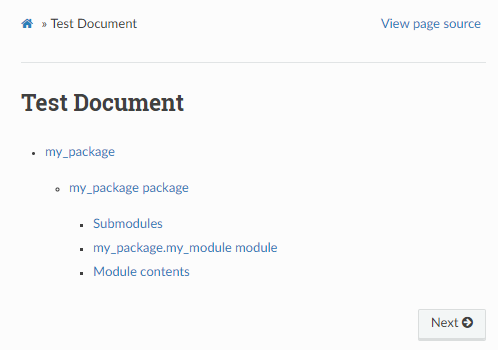
그럼 다음과 같은 화면을 index.rst 의 프리뷰에서 확인할 수 있습니다
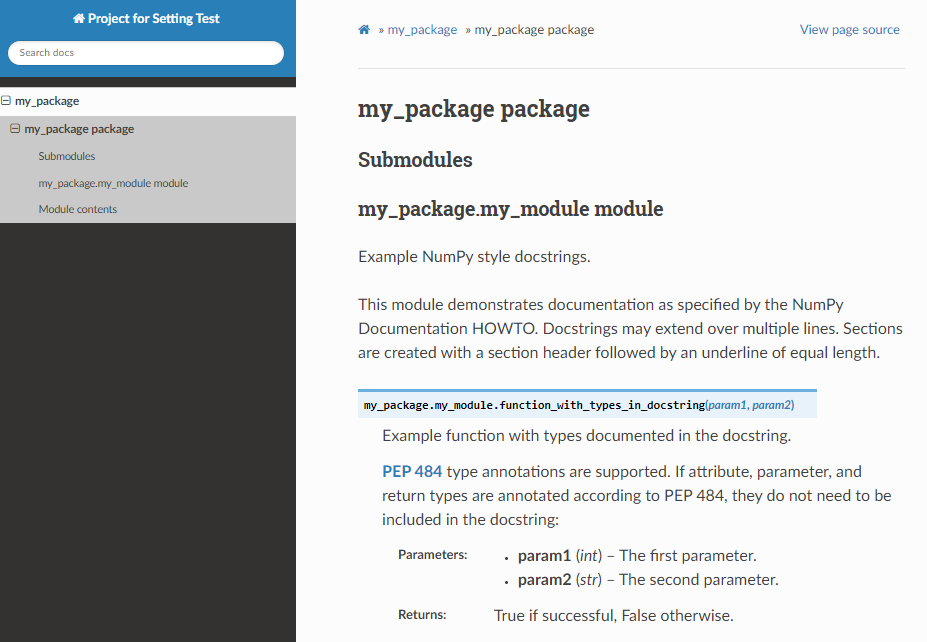
자동으로 생성된 my_module.rst 의 프리뷰에서는 다음과 같은 익숙한 문서화
페이지를 확인할 수 있습니다.
Tip
가끔 프리뷰가 잘 작동하지 않는 경우 해볼 수 있는 선택지:
VSCode의
esbonio서버를 재시작 한다.make clean으로 이미 생성된 html을 다 삭제하고 다시make html을 실행한다.sphinx-apidoc -f -o doc/source my_package를 다시 해본다.
프리뷰 기능이 안정적인 확장은 아니라 가끔 이상하니 주의하시기 바랍니다.